
Simpsons Halloween Cards: Spooky Portrait & Party Ideas
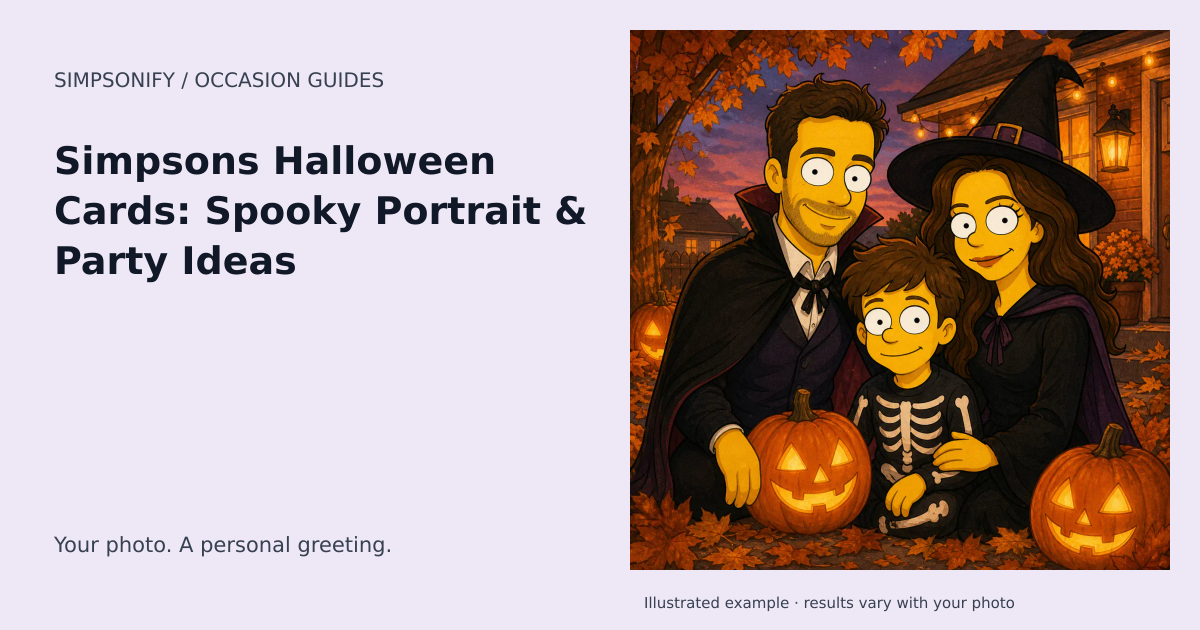
A Simpsons Halloween card puts your own face into a playful autumn scene: jack-o'-lanterns, paper bats, and purple-and-orange lights. It is a good fit for a funny greeting, a party keepsake, or a profile picture that still looks like you.
Pick your Halloween direction
Friendly family card. Use a clear group photo and let pumpkins and paper decorations provide the theme. Keep the faces free of added masks. A simple greeting such as “A little spooky, a lot like us” works beneath the artwork.
A costume portrait. If you want a particular costume in the result, wear it in the original photo. The seasonal theme adds a background direction; it does not guarantee a costume transformation. Makeup or a mask that hides the eyes also gives the generator less information about your likeness.
A party memory. Turn one favorite image from your gathering into a postcard. Add the actual year, names, or party title afterward so the lettering is correct.
Make the image work at small sizes
For an avatar, crop around the head and shoulders and keep only a few background details. Tiny bats and elaborate lettering disappear in a circular thumbnail. For a card, use a wider layout with an uncluttered border for the message.
Check the result before sharing
The ready-made Halloween direction is playful rather than gory. Look for recognizable facial features, readable hands, and decorations that don't merge into the hair. If the source photo is dark, try a brighter image instead of increasing the complexity of the scene.
This is a personal Halloween artwork guide, not a catalogue of Treehouse of Horror episodes or official Simpsons artwork. For a Día de Muertos remembrance card, choose that separate theme; its marigolds and candlelight serve a different purpose.
Create your Halloween artwork
The ready-made theme opens with the occasion selected. Upload a clear reference photo, choose your look, and review the portrait before downloading. No written prompt is needed.
Create one themed portrait Explore the Holiday invitation
One portrait uses one credit. Sets use the existing product pricing shown before purchase; this theme adds no holiday surcharge. Open Make a card on your completed portrait to add a greeting and save a private design. Card editing and PNG exports are included; printing and delivery are not offered.
When to plan your greeting
Calendar reference for 2027: October 31, 2027. Start preparing your card around October 1, 2027. You can create with this theme year-round.
Date references: timeanddate.com. Reviewed September 6, 2026. Check local arrangements for the gathering or observance you intend. For later years, check the linked calendar before making plans.