
Simpsons Diwali Cards: Lights, Rangoli & Family Greetings
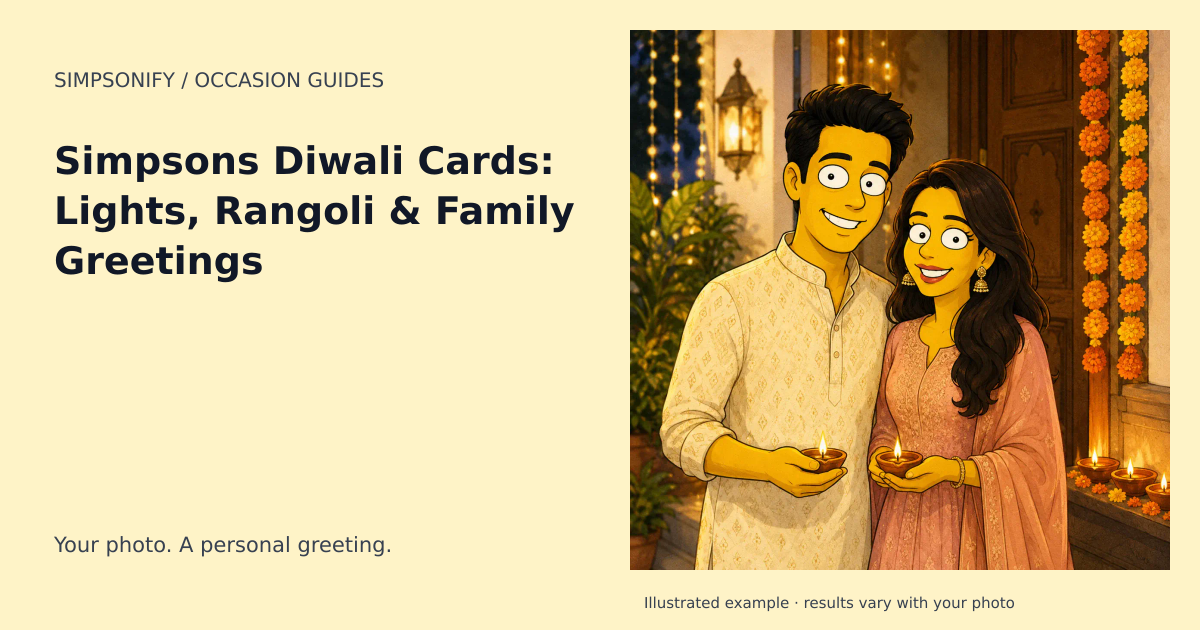
A Simpsons Diwali card can be bright and personal: your own portrait framed by diya lamps, marigolds, and colorful rangoli. The contrast between warm lights and a clean cartoon silhouette makes the image readable even when it is shared as a small digital greeting.
Choose a composition that suits your photo
A single portrait. Leave space below the shoulders for a short greeting. A few lamps near the edge can suggest the setting without filling the foreground.
A family card. Use an existing group photo with visible faces. Keep floral decorations away from hairlines, and inspect each person before sending. The generator uses one reference photo rather than assembling relatives from separate images.
A host thank-you. Turn a portrait into a card and add a memory of the evening. A specific note about the welcome you received feels more personal than a long generic holiday message.
What to write on a Diwali card
“Wishing your home light, joy, and time together” is a useful starting point. Choose the wording and language your household prefers, then add it in the card editor. This keeps names, spelling, and scripts under your control.
Avoid crowding the illustration
Diwali offers many decorative possibilities, but using every motif at equal size makes a portrait hard to read. Let one element lead: a rangoli border, a line of lamps, or a floral frame. The preset guides the artwork; it doesn't provide individual controls for every object.
The theme does not depict deities, add sacred text, or change people into religious dress. Dates and observances can vary by community, so use the reviewed calendar below as a planning reference and confirm your own celebrations. Tihar has a separate guide for its Nepalese context.
Create your Diwali / Deepavali artwork
The ready-made theme opens with the occasion selected. Upload a clear reference photo, choose your look, and review the portrait before downloading. No written prompt is needed.
Create one themed portrait Explore the Postcards
One portrait uses one credit. Sets use the existing product pricing shown before purchase; this theme adds no holiday surcharge. Open Make a card on your completed portrait to add a greeting and save a private design. Card editing and PNG exports are included; printing and delivery are not offered.
When to plan your greeting
Calendar reference for 2027: October 29, 2027 (expected; dates may vary). Start preparing your card around October 8, 2027. You can create with this theme year-round.
Reviewed principal festival date using the Indian reference; local traditions, civil dates and multi-day observances may differ.
Date references: assets.egazette.gov.sg · reference 1, timeanddate.com · reference 2, timeanddate.com · reference 3. Reviewed September 6, 2026. Check local arrangements for the gathering or observance you intend. For later years, check the linked calendar before making plans.