
Simpsons Christmas Cards: Make a Personal Family Greeting
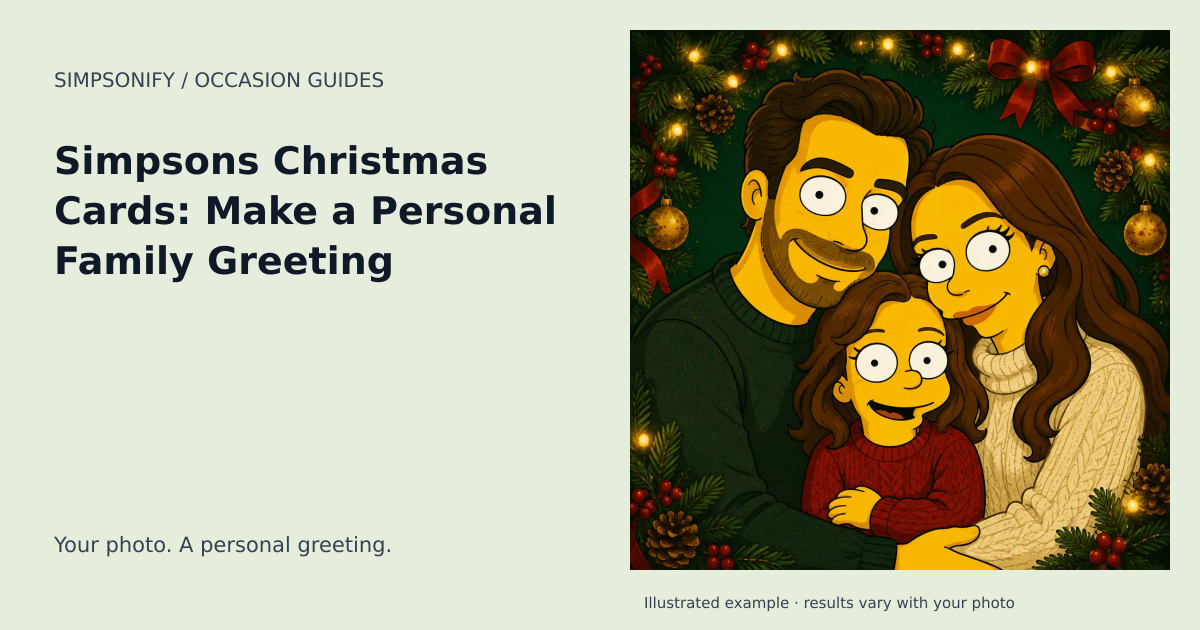
A Simpsons Christmas card turns your own photo into a festive cartoon greeting: a recognizable face, a decorated tree, wrapped gifts, and warm fairy lights. The best version feels like your household, with a message written for the people receiving it.
Choose your Christmas card idea
The family portrait. Start with a real group photo where everyone faces the camera and no face is hidden. A close, evenly lit group usually works better than a wide dinner-table scene. Leave space around the hair and shoulders so the decorations can frame the group.
The couple's card. Pick a photo with both faces at a similar distance from the camera. A simple festive background and a short message can make a stronger card than a busy scene filled with props.
The solo greeting. A portrait can become a funny card to friends, a seasonal avatar, or a small thank-you. It is also a useful option when the group photos from the year are blurry.
What to write on a Simpsons-style Christmas card
Try “Same family, a little more yellow,” “Sending love from our corner of the world,” or simply “Merry Christmas from all of us.” Add a personal line about the year or the next time you hope to meet. These are original message ideas; you don't need dialogue from the show to make the card playful.
Put the text on a clean margin or a separate inside panel. The generator creates the artwork, while you add names, dates, and greetings in the included card editor.
Christmas doesn't have to mean snow
The standard theme uses trees, gifts, and lights without assuming winter weather. If your celebration is outdoors in summer, use the Summer Christmas guide and theme for sunshine and a leafy patio. Christmas party invitations also have a separate guide focused on the details guests need.
Check your card before sending
Compare the result with the original photo: look at each face, glasses, hair, and any visible hands. Review the final crop at the size you plan to share. If you print it, check your printer's dimensions and bleed requirements; Simpsonify supplies digital artwork, not a printed card or delivery service.
This guide is for making personalized Simpsons-style Christmas art. It does not provide official Simpsons cards, episode lists, or licensed character merchandise.
Create your Christmas artwork
The ready-made theme opens with the occasion selected. Upload a clear reference photo, choose your look, and review the portrait before downloading. No written prompt is needed.
Create one themed portrait Explore the Postcards
One portrait uses one credit. Sets use the existing product pricing shown before purchase; this theme adds no holiday surcharge. Open Make a card on your completed portrait to add a greeting and save a private design. Card editing and PNG exports are included; printing and delivery are not offered.
When to plan your greeting
Calendar reference for 2027: December 25, 2027. Start preparing your card around November 13, 2027. You can create with this theme year-round.
Date references: timeanddate.com. Reviewed September 6, 2026. Check local arrangements for the gathering or observance you intend. For later years, check the linked calendar before making plans.